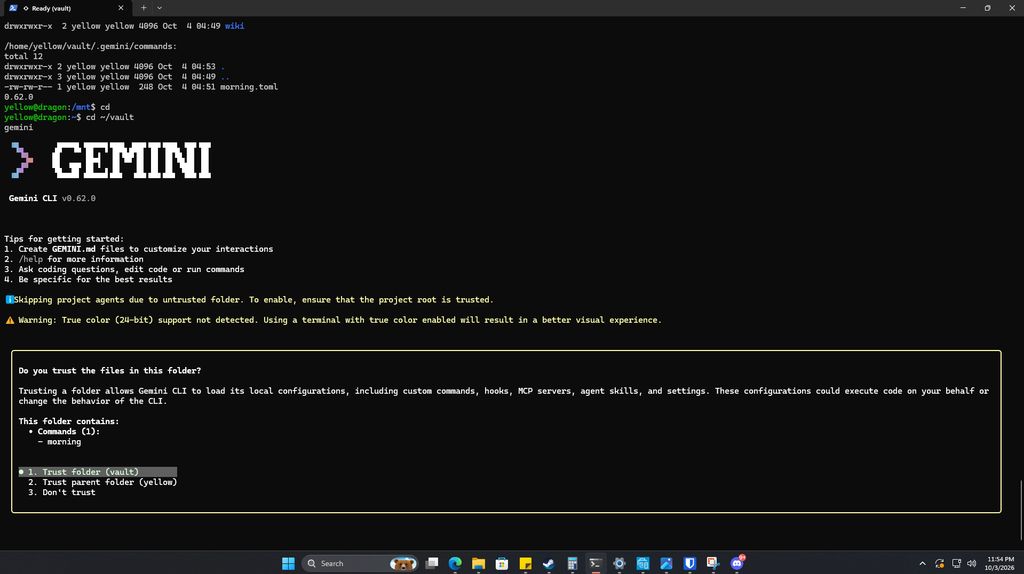
Phase 1 of the “JARVIS OS” project: a scheduled daily brief, built from real data, delivered into a notes vault.
I wanted an assistant that could start my day for me: check my calendar, scan the tech news, and hand me a short brief before I leave the house. The constraints made it interesting: no GPU on my home server, no paid AI subscription, and a calendar I wanted in the loop without giving any cloud service direct access to my account.
Here’s what I built, what broke, and what I’d do the same way again.
What it does
Every morning, with no input from me:
- 6:00 AM: my iPhone pushes today’s calendar to a file on my home server.
- 7:00 AM: the server pulls tech headlines from RSS feeds, asks Gemini to pick the five that matter and write a one-line takeaway for each, and saves the result as a markdown note.
- The note syncs to my PC, where I read it in Obsidian.
- If anything breaks, my phone gets a push alert and a FAILED flag file appears in the vault.
iPhone (Shortcut)  -->  server: raw/calendar.md
RSS feeds          -->  server: raw/news.md
                           |
                  Gemini (1 request/day)
                           |
                  outputs/YYYY-MM-DD-morning-brief.md
                           |
                  Syncthing  -->  Obsidian on PC
The stack (all free)
- Engine: Gemini CLI running on a free Google AI Studio API key
- Memory: a plain markdown vault with
raw/,wiki/, andoutputs/folders - News: a small Python script that pulls and numbers RSS headlines
- Scheduling: a bash script and cron
- Calendar: an iOS Shortcut that sends the day’s events over SSH
- Sync and reading: Syncthing in Docker, plus Obsidian
- Alerts: a FAILED flag file in the vault plus push notifications from a self-hosted ntfy server
Everything lives in readable files. There’s no database to maintain and nothing I can’t open in a text editor.
What broke, and how I fixed it
1. The free Gemini CLI login was gone
Google ended “Sign in with Google” for individual accounts in the CLI on June 18, 2026, and pointed those users to a new tool. My plan didn’t change that. The fix was to keep the same CLI and authenticate with a free API key instead.
2. The free key allowed about 20 requests a day on the main model
A normal interactive run uses around 10 requests, because every file read and write is its own model call. I redesigned the brief to cost one request: a script gathers the calendar and headlines, sends them in a single prompt, and saves the output itself. The model never touches files.
3. The model rewrote a news link
One URL in a generated brief had a different path than the feed’s real link. Telling the model to be careful wasn’t a fix. Removing the chance was. Headlines are now numbered, the model returns only numbers and short takeaways, and a script attaches the real titles and URLs. Numbers that don’t exist are dropped, and a run with no valid headlines fails instead of saving junk.
4. A failed run could have overwritten a good brief
The script now writes to a temporary file and only replaces the brief if everything succeeded. This protected a good brief during a rate-limit failure.
5. Stale calendar data could look current
If the phone didn’t push, the server would have reused yesterday’s meetings. The calendar file now begins with a date header, and the brief only uses it when that date is today. Otherwise it says “Calendar not synced.”
6. Cron doesn’t know about your shell
My CLI lives under a Node version manager, which cron doesn’t load. The script sets its own PATH explicitly. The catch is that it needs updating if the Node version ever changes.
7. One feed timed out, and old stories kept coming back
A third-party Hacker News mirror timed out and quietly dropped a quarter of my headlines, while slow-moving feeds resurfaced week-old stories. The news script now retries, falls back to the official feed, and drops items older than 48 hours (unless that would leave too few to choose from).
8. Garbled characters in headlines
Some feeds deliver headlines with HTML entities, which showed up as raw codes in the brief. The script now decodes them.
9. A missed brief was silent
If the brief failed, nothing told me. The script now timestamps every log line, writes a FAILED-<date>.txt flag file into the vault when any step fails, and sends a push alert through a self-hosted ntfy server. A quiet “brief ready” ping each morning means silence itself is a signal. I tested the alert by deliberately breaking the news script and watching my phone buzz.
10. Takeaways that restated or invented
Telling the model not to add facts made the takeaways bland, and they just echoed the headlines. Asking for a short action starting with a verb (Check, Watch, Patch, Ignore) gave short lines that still don’t invent anything.
Security choices
- The phone’s SSH key is locked to one job. In
authorized_keys, the key is prefixed with a forced command and every extra feature is disabled:
command="cat > /path/to/vault/raw/calendar.md",no-pty,no-port-forwarding,no-agent-forwarding,no-X11-forwarding ssh-ed25519 AAAA...That key can overwrite one file. It can’t open a shell or run anything else.
- The PC copy of the vault is receive-only, so nothing edited there can overwrite the server.
- The API key sits in a private file (
chmod 600) outside the vault. - The model never sees URLs or meeting links. It gets headlines and meeting titles and times.
- Calendar titles do go to Google. The free tier can be reviewed by humans, so I keep anything sensitive out of the pipeline.
- Alerts stay generic. Push messages never contain meeting titles or headlines, and the notification server is reachable only from my home network and VPN.
Where it stands
Every piece has been tested: the news pull, the brief builder, the sync to Obsidian, and the phone automation firing while the phone was locked. It has run unattended every morning since I turned it on, with my real calendar showing up in the brief, and the failure alert has been tested by breaking the script on purpose. I’ll keep posting what breaks as weekends and calendar-free days come through.
What I’d tell you if you build this
- Check current docs before building on a free tier. Limits and sign-in options changed more than the articles I started from suggested.
- Make the model do as little as possible. Fewer calls meant fewer failure points and no altered links.
- Fail closed. Every failure path keeps the last good output.
- Plain files beat clever infrastructure.
What’s next
- Phase 2: voice. Local speech-to-text and text-to-speech with push-to-talk.
- Phase 3: a dashboard. One page with the brief, schedule, and server health.
- Phase 4: expansion. A phone-call version of the brief, homelab status in the daily note, and turning raw captures into linked wiki notes.
If you want a cleaned-up copy of the scripts, get in touch.