Until this point, every major test of my portable Proxmox environment had happened inside my home lab.
The network topology worked. The virtual machines worked. Firezone provided remote access. AdGuard handled DNS. pfSense separated the management and protected networks. Ubuntu hosted Docker workloads. The GL.iNet Opal provided the network edge.
But there was still one major unanswered question:
Would any of it actually work once I left home?
Part 5 finally answered that question.
I took the entire setup with me to Nashville and connected it to a real hotel guest network.
Connecting the Travel Network
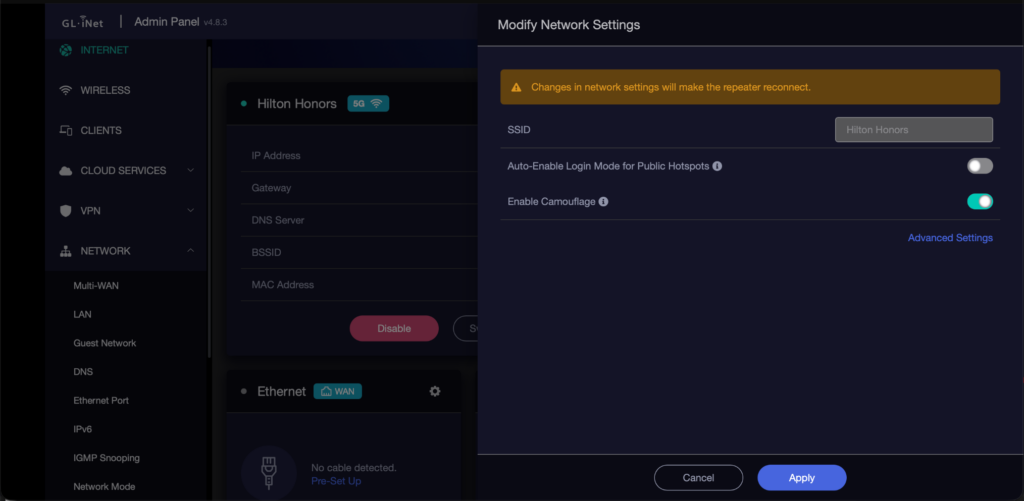
The GL.iNet Opal was configured to use the hotel’s Hilton Honors Wi-Fi as its upstream connection.
This was exactly the scenario I purchased the travel router for.
Instead of individually connecting every device to the hotel’s network, only the Opal needed to join it.
Everything behind the router could continue using my own network.
The basic architecture remained:
Hotel Wi-Fi
     |
GL.iNet Opal
192.168.8.1
     |
Management Network
192.168.8.0/24
     |
     +-- Proxmox       192.168.8.10
     |
     +-- pfSense WAN   192.168.8.20
                         |
                      pfSense
                         |
                   10.20.20.0/24
                         |
             +-----------+-----------+
             |           |           |
          AdGuard     Firezone     Servers
         .20.2        .20.3
The Opal successfully connected to the hotel’s wireless network.
The captive portal appeared normally, I authenticated through the Hilton guest portal, and internet connectivity became available behind the router.
From a basic compatibility standpoint, the test had already succeeded.
Unexpected Performance
The first unexpected result came from Speedtest.
When my MacBook connected directly to the Hilton network, I measured approximately:
71 Mbps download
76 Mbps upload
When I connected the same MacBook through the Opal:
~10 Mbps download
~10 Mbps upload
That was far more performance loss than I expected from repeater mode.
So I started eliminating variables.
Testing the Client Side
The first possibility was that the Opal’s downstream wireless connection was causing the slowdown.
I tested the MacBook through both radios.
Using the Opal’s 2.4 GHz network produced approximately:
9.96 Mbps down
9.15 Mbps up
Using the Opal’s 5 GHz network produced approximately:
9.77 Mbps down
9.56 Mbps up
Nearly identical.
Next, I removed wireless from the client side completely.
I connected the MacBook to the Opal over Ethernet.
The result:
10.05 Mbps down
9.85 Mbps up
At that point the local wireless connection could effectively be ruled out.
Looking Inside the Opal
The Opal already had hardware acceleration enabled.
During a speed test I connected to the router over SSH and monitored CPU utilization.
CPU usage remained extremely low.
So the router was not simply running out of processing power.
I then inspected the wireless uplink.
The Hilton connection was using:
Interface: sta1
Mode: Client
Channel: 40
Frequency: 5.2 GHz
Width: 20 MHz
PHY: 802.11ac
Signal: approximately -42 dBm
Noise: approximately -88 dBm
SNR: approximately 45 dB
Those are excellent RF conditions.
The MacBook was also connected to the same hotel BSSID when it achieved approximately 70 Mbps directly.
That ruled out another possibility: the Opal had not accidentally associated with a distant or overloaded access point.
MAC Cloning, Camouflage and TTL
Hotel networks sometimes identify devices by MAC address or apply different policies depending on what connects.
GL.iNet includes several options designed for public-hotspot environments.
I tested:
Camouflage mode
MAC cloning
TTL modification
BSSID locking
I even cloned the exact private MAC address macOS had used when connected directly to Hilton.
None of these changed the roughly 10 Mbps throughput.
At that point, a simple MAC-based throttle looked increasingly unlikely.
A Useful Control Test
The best comparison came from replacing Hilton Wi-Fi with my iPhone hotspot.
The iPhone itself tested at approximately:
14.6 Mbps down
7.5 Mbps up
With the Opal using the hotspot as its WAN connection:
10.7 Mbps down
2.6 Mbps up
There was still routing/repeater overhead, as expected, but the Opal retained a much larger percentage of the available download bandwidth.
That made the hotel network the unusual variable.
I can’t definitively say whether the hotel was applying QoS, the Meraki infrastructure interacted poorly with the Opal’s MediaTek wireless chipset, or some other network policy was involved.
What I can say is that the Opal behaved very differently on the Hilton network than it did using another upstream connection.
Finding a Meraki Behind the TV
While looking for alternatives, I checked behind the hotel television and discovered a Cisco Meraki MR30H.
The MR30H is a hospitality-oriented access point with integrated Ethernet ports.
Several numbered ports were unused.
That created an obvious experiment:
Hotel Ethernet
      |
Opal WAN
      |
Travel Network
I connected the Opal WAN interface to each unused Ethernet port.
The Opal detected the physical Ethernet connection, but none of the ports provided a usable DHCP lease.
Most likely those interfaces were disabled or assigned to restricted port profiles in the hotel’s Meraki configuration.
I did not disconnect any of the occupied ports used by the hotel’s equipment.
A Proxmox Configuration Lesson
The trip also exposed a problem unrelated to the hotel.
After rebooting the Proxmox host, I noticed it had returned to parts of the old networking configuration.
Earlier in the project, some of the migration had been applied to the running interfaces before the persistent configuration had been completely cleaned up.
The original configuration still contained:
192.168.5.x
10.10.10.0/24
vmbr1
Wi-Fi NAT
The final persistent configuration now uses:
vmbr0
192.168.8.10/24
Gateway: 192.168.8.1
Physical port: nic0
and:
vmbr2
No host IP
Protected pfSense LAN bridge
The obsolete vmbr1 and its NAT rules were removed entirely.
After applying the configuration with:
ifreload -athe live routing table correctly showed:
default via 192.168.8.1 dev vmbr0
192.168.8.0/24 dev vmbr0
I also discovered that /etc/hosts still mapped the Proxmox hostname to the old address.
That caused the local console to continue advertising:
https://192.168.5.10:8006even though networking had correctly moved to 192.168.8.10.
Updating the hostname mapping fixed that as well.
Automatic VM Startup
Another useful field-test lesson came after rebooting the host.
Several VMs were powered off because they had never been configured to automatically start with Proxmox.
That isn’t a problem when you’re actively working in the lab, but it matters a lot for something intended to operate as an appliance.
I enabled automatic startup for the critical services, including:
pfSense
AdGuard
Firezone
Ubuntu Server
The goal is for the travel environment to recover automatically after a reboot or unexpected power loss instead of requiring me to manually start every component.
Battery Life
The other major real-world test was power.
I intentionally did not plug the Proxmox laptop into external power while I was using it in Nashville.
The system journal confirmed that the final Tuesday boot started with the AC adapter offline and the internal battery present.
Linux unfortunately did not record useful historical battery percentages, and the laptop’s ACPI implementation generated several firmware-related errors.
However, the boot history gave enough information to estimate approximately:
2 hours and 15 minutes of battery-powered operation.
There were several short reboots during that window, but no charging between them.
The final session ended like an unexpected power loss rather than a normal shutdown, which is consistent with the battery eventually reaching zero.
Two hours isn’t terrible for an older laptop running a hypervisor and several always-on services, but I had hoped for more.
That result has already changed how I think about a future version of this project.
A second-generation build may eventually use a modern low-power x86 system with:
lower idle power consumption
solid-state storage
USB-C power delivery
a large external battery bank
The laptop design has been excellent for experimentation because the screen, keyboard, battery, and x86 hardware are all integrated.
But the field test showed that power efficiency may eventually become a more important design goal.
What Worked
The most important result from Nashville is that the architecture itself survived contact with the real world.
The travel environment successfully:
- connected to a real hotel guest network
- authenticated through a captive portal
- maintained its own private management network
- kept the pfSense protected LAN architecture intact
- provided internet connectivity to devices behind the router
- operated from battery power
- survived multiple reboots and configuration changes
- exposed problems that never appeared inside the home lab
The hotel throughput issue remains unresolved.
But that doesn’t make the field test a failure.
Quite the opposite.
The purpose of taking this project on the road was to find the assumptions that only worked inside the lab.
And Nashville found several of them.
What’s Next?
There are still a few things I want to finish.
Local access to the Minecraft servers still needs a proper field test from devices connected directly to the Opal.
The pfSense firewall rules between the management and protected networks need to be finalized.
I still want to integrate the 1 TB external drive for storage and backups.
VPN routing through pfSense remains on the list.
And now battery efficiency has officially become another design problem to solve.
At this point, though, the project has crossed an important line.
It isn’t just a travel server anymore.
It has actually traveled.