As I reached my one-year anniversary with Orion, I found myself looking back at how much my home lab has changed.
My projects used to focus heavily on individual systems: building servers, hosting applications, configuring networking, and learning platforms independently.
More recently, I’ve started focusing on how those systems fit together as part of a larger architecture.
One of the biggest areas I wanted to explore was hybrid identity and Single Sign-On.
The goal of this project was to connect my existing on-premises Active Directory environment to Microsoft Entra ID and use that identity to authenticate to self-hosted services.
Existing Environment
The lab already included:
- An on-premises Active Directory domain using
hbtechsolutions.com - Existing Active Directory user accounts
- Firezone providing secure remote access to lab resources
- Existing Firezone user accounts
- A Microsoft Entra tenant using the free tier
Because the AD domain and Firezone identities were already using hbtechsolutions.com, the environment was a good candidate for building a hybrid identity setup.
Architecture
The final authentication flow became:
Active Directory
→ Microsoft Entra Cloud Sync
→ Microsoft Entra ID
→ Single Sign-On
→ Firezone
Configuring Microsoft Entra
The first step was adding hbtechsolutions.com as a custom domain in Microsoft Entra ID.
After creating the required DNS TXT record and verifying ownership of the domain, Entra could use the same UPN format as the local Active Directory environment.
This meant an account such as:
user@hbtechsolutions.com
could maintain the same identity across both on-premises AD and Entra.
Configuring Entra Cloud Sync
I installed the Microsoft Entra provisioning agent on a domain-connected Windows Server in the lab.
During configuration, I:
- Created a dedicated cloud-only account for Cloud Sync administration
- Assigned the necessary Entra administrative role
- Connected the provisioning agent to the Entra tenant
- Configured a group managed service account (gMSA)
- Connected the agent to the local Active Directory domain
Once configuration was complete, the agent appeared in Entra with an Active status.
Controlling Synchronization Scope
Rather than synchronizing every object in Active Directory, I created an AD security group named:
Entra-Sync-Users
Only users placed in this group are included in the synchronization scope.
This keeps the environment controlled and makes it easy to determine which users are synchronized into Entra.
Password Hash Synchronization
Password Hash Sync was enabled as part of the Cloud Sync configuration.
This allows synchronized Entra users to authenticate using the same password they use in the local Active Directory environment.
The local AD password itself is not sent directly to Microsoft. A derived password hash is synchronized to Entra for cloud authentication.
Testing Provisioning
Before fully enabling synchronization, I used Entra’s Provision on Demand feature to test my account.
The test successfully:
- Located the user in Active Directory
- Processed the configured attribute mappings
- Created the corresponding Entra identity
- Preserved the hbtechsolutions.com UPN
- Marked the account as an on-premises synchronized user
After confirming the test worked, I enabled the full Cloud Sync configuration.
Integrating Firezone
Once the identity existed in Entra, I moved to Firezone.
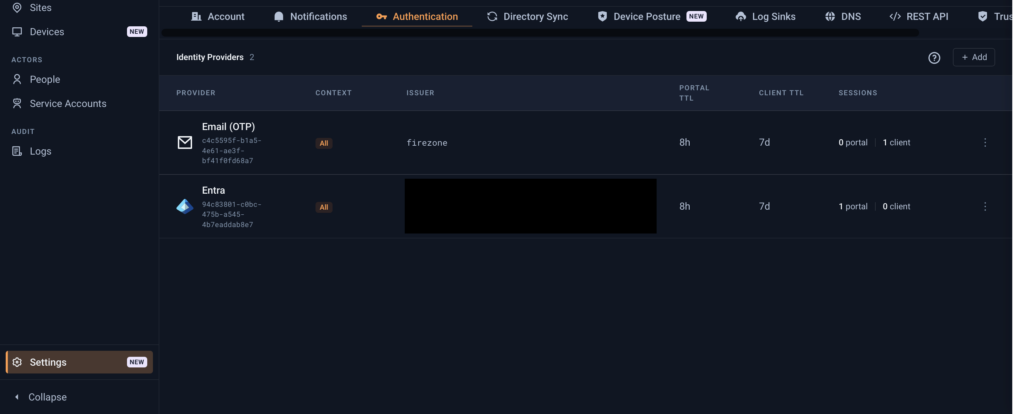
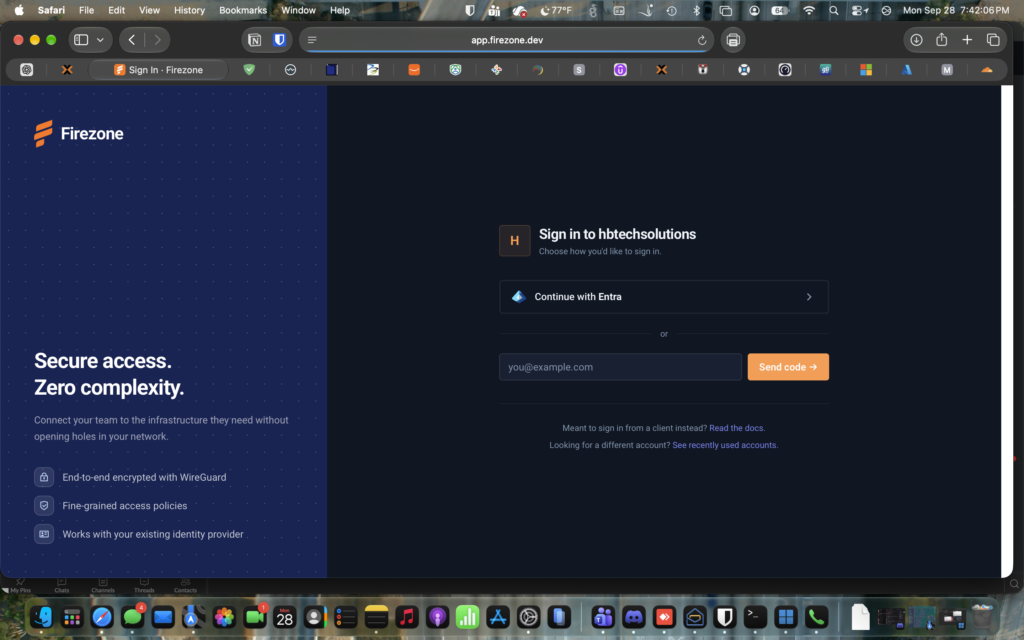
Firezone already supported Microsoft Entra as an authentication provider, so I added a new Entra identity provider while leaving the existing Email OTP authentication method enabled.
This was important because some Firezone users use non-domain email addresses and did not need to be migrated to Entra.
For accounts where the Firezone email matches the Entra UPN, Firezone can associate the existing user with the Entra identity.
The final authentication flow became:
Local AD credentials
→ Microsoft Entra authentication
→ Firezone SSO
After some initial password synchronization delay and completing the required Entra application consent, authentication succeeded.
Final Result
The lab now has a functional hybrid identity environment.
Users can originate in local Active Directory, synchronize to Microsoft Entra ID, and use that identity to authenticate to supported applications through SSO.
Firezone was the first application integrated, but the larger value of the project is that the identity foundation can now be reused.
Any future self-hosted service that supports:
- Microsoft Entra ID
- OpenID Connect
- OAuth 2.0
- SAML
can potentially be connected to the same identity infrastructure.
This project turned what started as a simple home Active Directory environment into something much closer to the identity architecture found in enterprise environments.
And after a year at Orion, it has been interesting to see how much the technologies and concepts I encounter professionally have started influencing the way I design my home lab.
Next phase: expanding SSO across additional self-hosted services.