The first few stages of my portable homelab project were mostly concerned with getting services running. Proxmox was installed on an older HP laptop, containers and virtual machines were created, Firezone provided remote access, AdGuard handled DNS filtering, and Ubuntu Server hosted Docker workloads including two Minecraft servers.
It worked, but the networking was temporary.
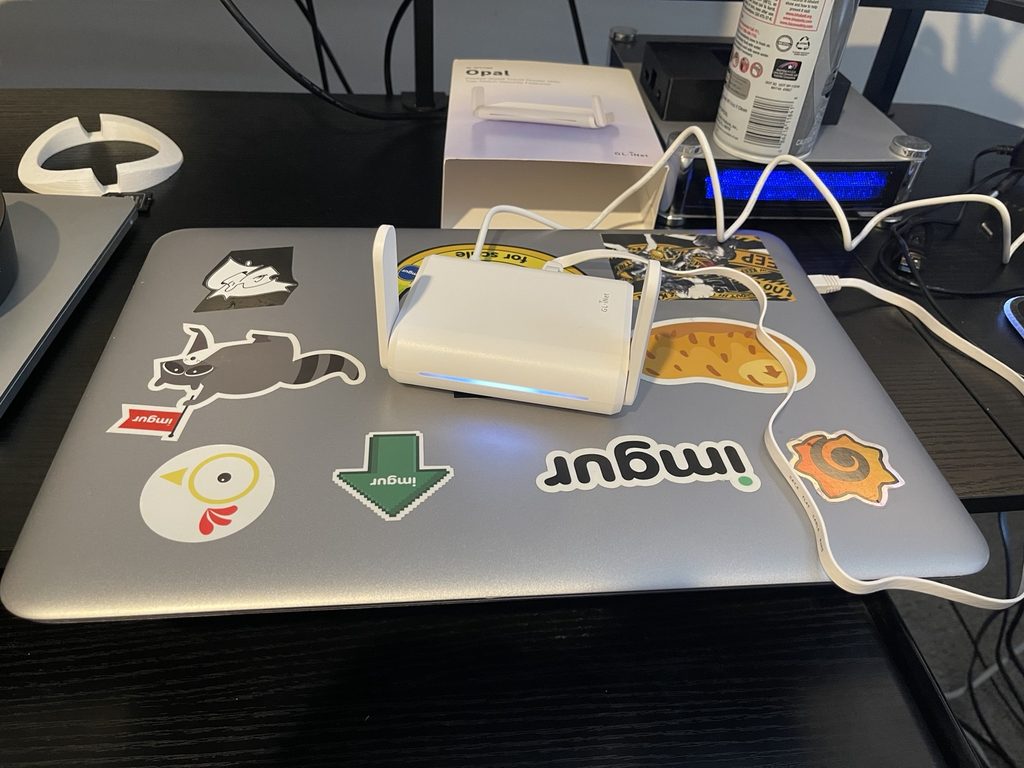
For Part 4, I rebuilt the network around two new components: a GL.iNet Opal travel router and a pfSense virtual firewall.
Replacing the Temporary Network
During the initial build, the Proxmox laptop connected directly to Wi-Fi. Because traditional Linux bridging does not work cleanly across Wi-Fi client interfaces, I created a temporary NAT network:
10.10.10.0/24Proxmox provided the gateway at 10.10.10.1, and the VMs and containers used that network to reach the internet.
That configuration was useful during development, but it was never intended to be permanent.
The arrival of the Opal gave me a proper network edge.
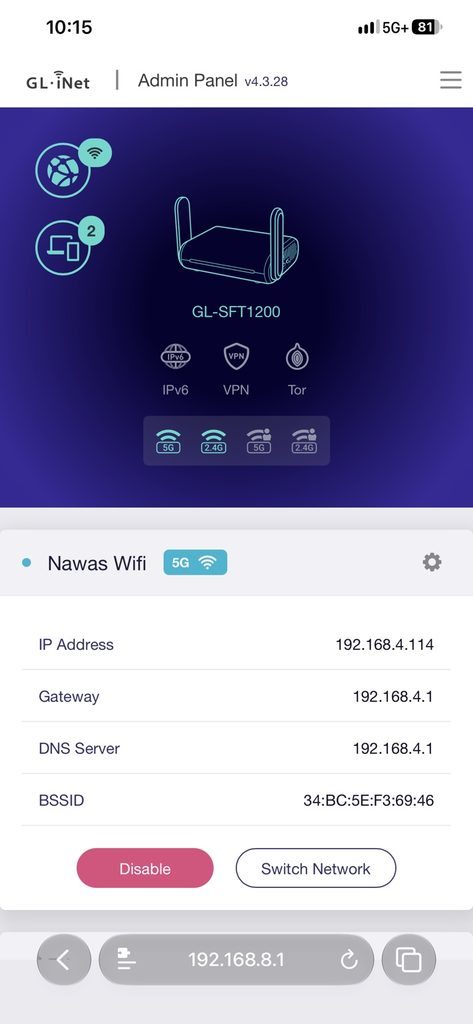
The router can connect to another wireless network using repeater mode while providing its own isolated wired and wireless LAN. This is particularly useful for the eventual goal of using the lab in hotels, conferences, and other locations where only Wi-Fi may be available.
The New Management Network
I kept the Opal’s default 192.168.8.0/24 LAN.
The management network now looks like this:
GL.iNet Opal       192.168.8.1
Proxmox            192.168.8.10
pfSense WAN        192.168.8.20
One intentional design decision was keeping the Proxmox management interface outside pfSense.
If pfSense ever fails or I make a firewall configuration mistake, I still want direct access to the hypervisor. Placing Proxmox on the Opal management network gives me that recovery path.
I also moved Proxmox from its internal Wi-Fi adapter to its physical Ethernet port. The Ethernet bridge, vmbr0, now carries the permanent 192.168.8.10/24 management address and uses 192.168.8.1 as its default gateway.
Adding pfSense
pfSense runs as a Proxmox VM with two virtual NICs.
Its WAN interface connects to vmbr0:
WAN: 192.168.8.20/24
Gateway: 192.168.8.1
Its LAN interface connects to an isolated Proxmox bridge, vmbr2:
LAN: 10.20.20.1/24vmbr2 has no IPv4 address on the Proxmox host itself. Its purpose is to function as the Layer 2 segment between pfSense and the protected guests.
This creates a clear boundary:
Internet
   |
Upstream Wi-Fi
   |
GL.iNet Opal
192.168.8.1
   |
192.168.8.0/24
   |
pfSense WAN
192.168.8.20
   |
pfSense
   |
pfSense LAN
10.20.20.1
   |
10.20.20.0/24
Migrating the Services
With pfSense confirmed to have internet connectivity, I migrated the services one at a time.
The final addressing plan became:
| System | Address |
|---|---|
| pfSense LAN | 10.20.20.1 |
| AdGuard Home | 10.20.20.2 |
| Firezone Gateway | 10.20.20.3 |
| Linux Mint | 10.20.20.10 |
| Ubuntu Server | 10.20.20.20 |
AdGuard was migrated first because it would ultimately become the DNS resolver for the protected network.
After moving the container onto vmbr2, I verified connectivity to pfSense and the internet. AdGuard was still listening on TCP/UDP port 53 and its administrative interface remained on port 80.
Next came Firezone.
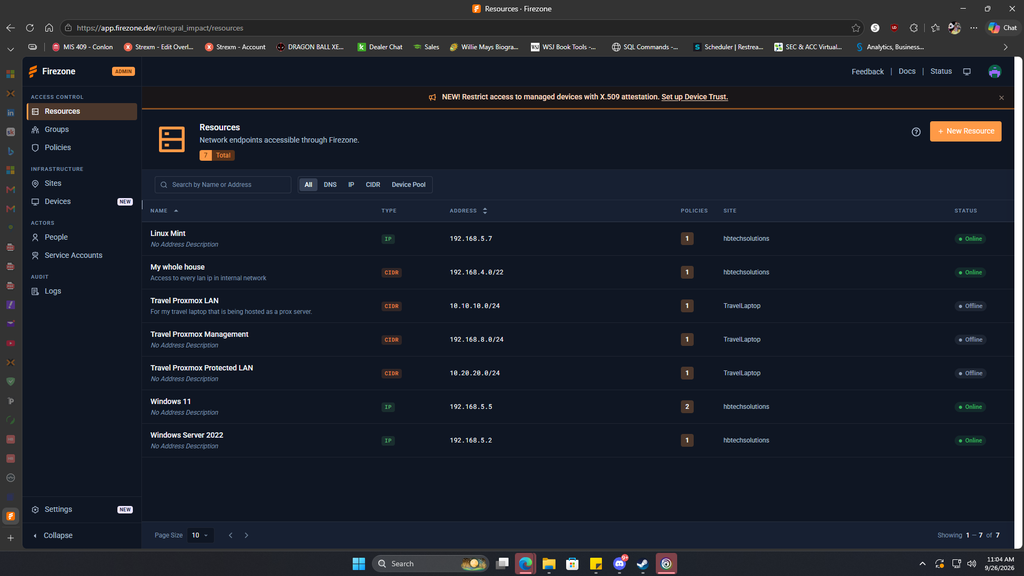
The gateway was moved to 10.20.20.3, and I updated the Firezone configuration to include two separate travel resources:
Travel Management
192.168.8.0/24

Travel Protected LAN
10.20.20.0/24
This provides a path to both the management and server networks when connecting remotely through Firezone.
Migrating Ubuntu Server
Ubuntu required a little more work.
During the original pfSense testing, I temporarily added a second NIC to Ubuntu. pfSense DHCP successfully assigned that interface an address from the 10.20.20.0/24 network, which helped confirm that the isolated LAN worked.
For the final configuration, I removed the old NIC and changed Ubuntu to:
Address: 10.20.20.20/24
Gateway: 10.20.20.1
DNS: 10.20.20.2
An old Netplan configuration was still matching the MAC address of the deleted adapter, which caused Netplan to report that it could not find a uniquely matching interface.
Removing the obsolete MAC matching configuration fixed the issue.
Once applied, Ubuntu successfully reached:
10.20.20.1  pfSense
10.20.20.2  AdGuard
9.9.9.9     Internet
google.com  DNS + Internet
DNS queries now flow through AdGuard.
The Docker workloads also survived the move. Both Minecraft servers returned to a healthy state and Portainer remained online.
Linux Mint was migrated to 10.20.20.10 as well.
Removing the Old Network
Once every guest had moved, I searched the Proxmox configuration database for references to the old bridge:
grep -R "vmbr1" /etc/pve/qemu-server /etc/pve/lxcNo VM or container remained attached.
I then removed vmbr1 and its associated NAT rules from /etc/network/interfaces.
The temporary 10.10.10.0/24 network that had carried the project through its early stages was officially gone.
A Misleading Memory Graph
I also increased the pfSense VM from 2 GB to 3 GB of RAM after the Proxmox interface showed memory utilization above 90%.
At first glance, pfSense appeared to immediately consume the additional memory.
However, checking from inside FreeBSD told a different story.
swapinfo showed:
1 GB swap
0 B used
and top reported roughly:
2.4 GB free memory
~99% CPU idle
So the VM was not under memory pressure at all. Proxmox was largely reporting memory that the guest had allocated or cached rather than memory that was actually unavailable.
For now, 2 vCPUs and 3 GB of RAM appears to be more than adequate.
Current Architecture
The travel kit now has two clearly defined networks:
MANAGEMENT / ROUTER NETWORK
192.168.8.0/24

192.168.8.1   GL.iNet Opal
192.168.8.10  Proxmox
192.168.8.20  pfSense WAN


PROTECTED SERVER NETWORK
10.20.20.0/24

10.20.20.1    pfSense
10.20.20.2    AdGuard Home
10.20.20.3    Firezone
10.20.20.10   Linux Mint
10.20.20.20   Ubuntu Server
This is much closer to what I originally imagined when I described the project as a portable data center in a bag.
Next Steps
The next phase will focus on what traffic is allowed between these networks rather than simply getting everything connected.
I want Opal Wi-Fi clients to be able to reach specific services such as Minecraft without having broad access to the protected server LAN.
AdGuard also needs to become the primary DNS server for clients using the travel router.
I want to experiment with routing traffic through Private Internet Access using pfSense.
The extra 1 TB external drive still needs to be integrated for SMB storage and Proxmox backups.
And perhaps the most important test is coming outside the lab: connecting the Opal to a real hotel captive portal and seeing whether the entire environment can come online cleanly behind it.
That test should tell me whether this is truly a portable homelab—or actually becoming a portable network infrastructure platform.