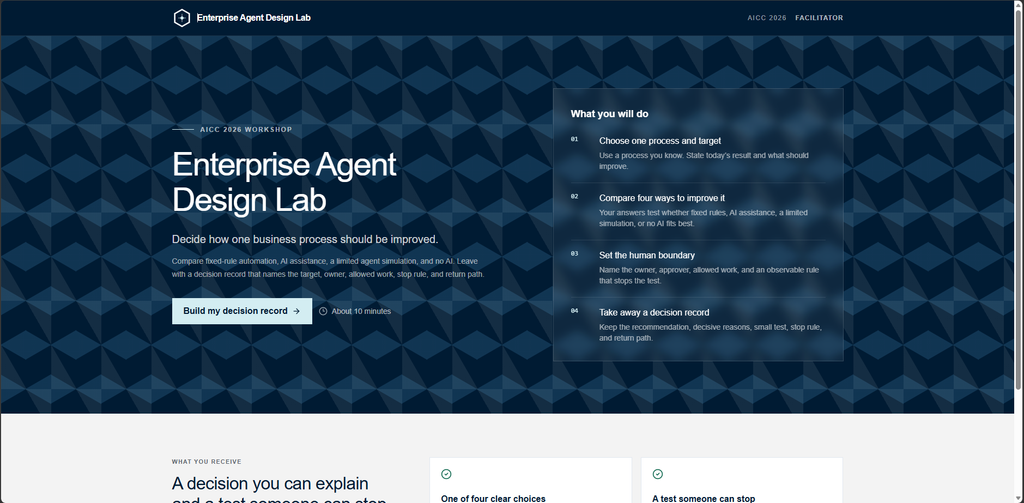
I recently came across the Enterprise Agent Design Lab, an AICC 2026 workshop application created by Vetitek. The project is designed to help users reason about how much authority an AI system should have in a business process — ranging from fixed-rule automation through AI assistance and bounded agentic workflows.
The original project can be found here:
Enterprise Agent Design Lab on GitHub
The application itself is MIT licensed, and the project’s documentation makes clear that it is an educational workshop application rather than a production enterprise-agent framework.
Rather than modifying the appearance or presenting the project as my own, I wanted to use it as an infrastructure and AI-integration exercise.
My goals were straightforward:
- Self-host the application on one of my Linux servers.
- Run it inside Docker.
- Replace the OpenAI model integration with Google Gemini.
- Publish it through my existing Nginx Proxy Manager environment.
- Add HTTPS and a public hostname.
- Preserve the application’s existing fallback behavior.
- Troubleshoot model latency and reliability issues introduced by the Gemini migration.
Architecture
The final deployment looks like this:
Internet
   |
   | HTTPS
   v
agentlab.hbtechsolutions.com
   |
   v
Nginx Proxy Manager
   |
   | HTTP / LAN
   v
192.168.4.98:4200
   |
   v
Docker
   |
   | container :8080
   v
Next.js 16
   |
   v
Google Gemini API
The original Docker container still listens internally on port 8080.
I mapped that to port 4200 on the host:
ports:
  - "4200:8080"
That allowed my separate Nginx Proxy Manager VM to proxy traffic to the application while leaving the application’s internal configuration alone.
Migrating from OpenAI to Gemini
This was the most interesting part of the project.
The original application was written around OpenAI. Rather than rewriting the entire AI layer, I used Google’s OpenAI-compatible Gemini endpoint.
That allowed much of the existing application architecture to remain unchanged.
The key client configuration became:
const client = new OpenAI({
  apiKey: process.env.GEMINI_API_KEY,
  baseURL:
    "https://generativelanguage.googleapis.com/v1beta/openai/",
  maxRetries: 3,
  timeout: 60_000,
});
I then used a Gemini model through:
GEMINI_MODEL=<Gemini model>
GEMINI_API_KEY=<server-side API key>
The API key remains server-side inside the Docker environment and is never exposed to the browser.
Structured output
One reason the conversion was practical is that the application already expects structured responses rather than arbitrary free-form text.
The existing Zod-based response schemas could continue to be used through the OpenAI-compatible interface.
For example:
response_format: zodResponseFormat(
  modelCanvasV2Schema,
  "agent_experiment_canvas_v2",
),
That meant I wasn’t replacing the application’s decision model or validation logic. I was changing the LLM providing the generated content.
The first problem: Gemini 503s
The first successful end-to-end test looked good in the browser, but the Docker logs told a different story.
Gemini had returned:
503 UNAVAILABLE
This model is currently experiencing high demand.
The application handled this correctly by falling back to its standard plan.
That was actually an interesting lesson in resilient AI application design:
Gemini
   |
   X 503
   |
   v
Application fallback
   |
   v
User still receives a result
Instead of disabling that behavior, I kept it.
I increased the AI client’s retry behavior:
maxRetries: 3,and increased its timeout:
timeout: 60_000,The second problem: changing the client timeout wasn’t enough
The next run still failed:
Canvas generation used the standard plan
{ reason: 'timeout' }
This led to a good debugging lesson.
The AI client allowed 60 seconds, but the application itself had an AbortController that cancelled canvas generation after 25 seconds.
Conceptually, the configuration looked like this:
Gemini client
60-second timeout
       |
       v
Application route
25-second abort
       |
       X
So Gemini could never actually use those additional 35 seconds.
I changed the route-level timeout from:
setTimeout(() => controller.abort(), 25_000);to:
setTimeout(() => controller.abort(), 50_000);The resulting timing hierarchy became:
Application timeout    50 seconds
Gemini client timeout  60 seconds
This preserves an application-controlled fallback while giving Gemini substantially more time to answer.
Reducing Gemini reasoning latency
Even with the longer timeout, Gemini was occasionally too slow.
For this workload, I didn’t need the model spending a large amount of time reasoning over the canvas-generation request.
I therefore added:
reasoning_effort: "low",to the canvas-generation call.
After rebuilding the Docker image and testing again, the canvas completed successfully without triggering the application’s standard-plan fallback.
Docker deployment
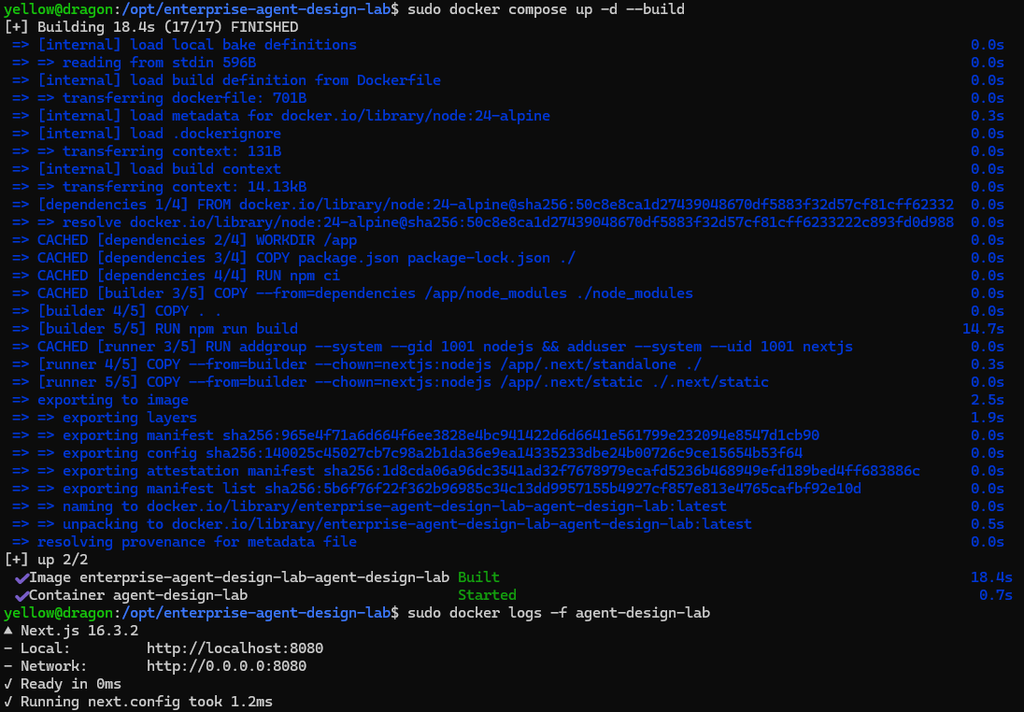
After each source-code modification, the application was rebuilt with:
sudo docker compose up -d --buildThe running deployment could then be monitored with:
sudo docker logs -f agent-design-labThis turned out to be important because the browser could show a perfectly usable result even when the AI request had actually failed and the application had silently used its fallback.
Publishing it
I already operate Nginx Proxy Manager on a separate VM, so instead of installing another public-facing proxy on the application server, I added a new proxy host:
agentlab.hbtechsolutions.com
        |
        v
192.168.4.98:4200
Nginx Proxy Manager handles the public TLS certificate and HTTPS connection.
The application server only needs to expose its Docker port to the proxy across my internal network.
What I learned
The most useful part of this project wasn’t simply getting another web application online.
It was seeing how several layers of an AI application interact:
Application logic
      ↓
LLM integration
      ↓
Structured output validation
      ↓
Timeout / retry handling
      ↓
Fallback behavior
      ↓
Docker
      ↓
Reverse proxy
      ↓
TLS / DNS
Changing the model provider exposed assumptions that weren’t obvious from simply reading the interface.
A 60-second API timeout doesn’t matter if another part of the application aborts the request after 25 seconds.
A successful result in the browser doesn’t necessarily mean the LLM succeeded if the application has graceful fallback logic.
And migrating between LLM providers can involve much more than replacing an API key.
Attribution
The Enterprise Agent Design Lab was created by Vetitek for AICC 2026 and presented by Jandee Richards and Will Duffy. I did not create the original application or workshop. My work described here covers my self-hosted deployment and the modifications required to use Google Gemini instead of the application’s original OpenAI integration.
The application’s source code is MIT licensed by Vetitek. Any redistributed version of the application code should retain the applicable MIT copyright and permission notice.