In the past, I attempted to get VMware up and running using my PC tower. While I was successful, I was limited to ESXi 6.7 and chose not to go too far to avoid risking my primary hard drives.
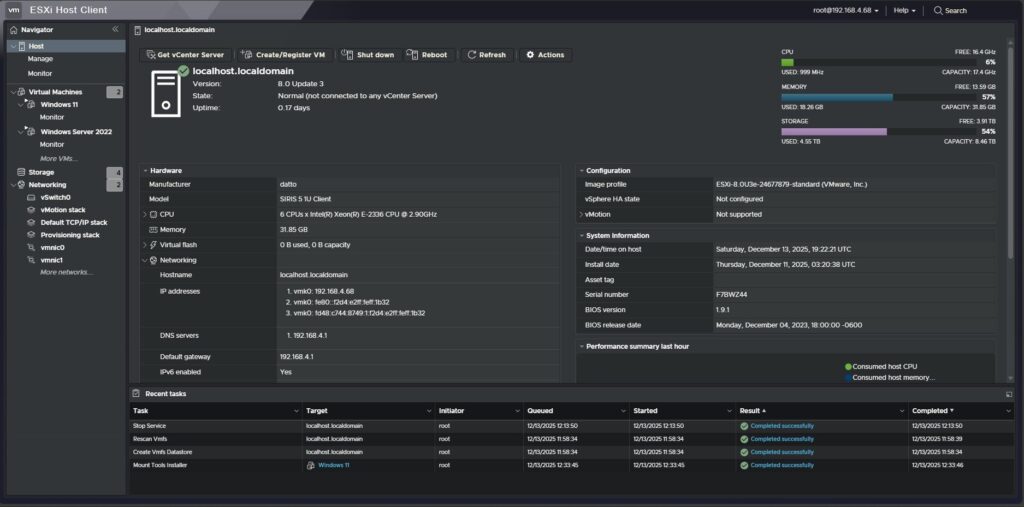
Fast forward to today—thanks to a good friend who sent me a rack-mounted server to experiment with—I was able to successfully deploy VMware ESXi 8.0, load virtual machines, and get it fully operational.
Current Server Hardware:
-
CPU: Intel® Xeon® E-2336 @ 2.90GHz (6 cores / 12 logical processors)
-
Memory: 32GB RAM
-
Storage:
-
4TB
-
4TB
-
894GB
-
319GB
-
I wanted to approach this the right way after my interview with Orion Financial. When I received this server, I seriously considered installing Proxmox, but ultimately decided to move forward with VMware to gain a deeper understanding of how this hypervisor operates.
During my time there, I gained hands-on experience with VMware in an enterprise environment, allowing me to observe its inner workings. I’m now applying that real-world experience by building and configuring my own environment in the lab.
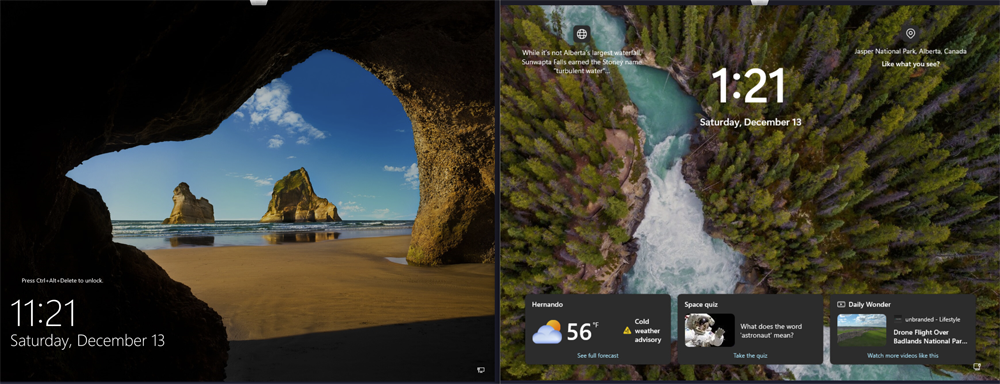
Current Virtual Machines:
-
Windows Server 2022
-
Windows 11 Pro
Key Takeaways So Far:
-
Windows 11 is resource-intensive — even with 16GB of RAM allocated, it has maxed out on several occasions.
-
Windows Server is significantly more efficient, requiring far less memory to operate smoothly.
I’m currently working on creating a macOS VM, which has proven to require more tuning and configuration than Windows or Linux virtual machines.
Looking ahead, I plan to deploy several Linux VMs to run dedicated services from home and potentially build a dedicated backup server for my Proxmox virtual machines and containers.
Hands-on labs like this continue to reinforce my interest in infrastructure, virtualization, and enterprise environments. Always learning and building.
